
MenuPulse
All MenuPulse features, in detail.
What your customers see, and what you set up from your restaurant account. The MenuPulse page presents the offer; this one details the features.
Categories and dishes
From the first screen to a dish page.
These screens come from Ev'Et's online menu. Customers go from the home screen to a dish's details without installing anything.
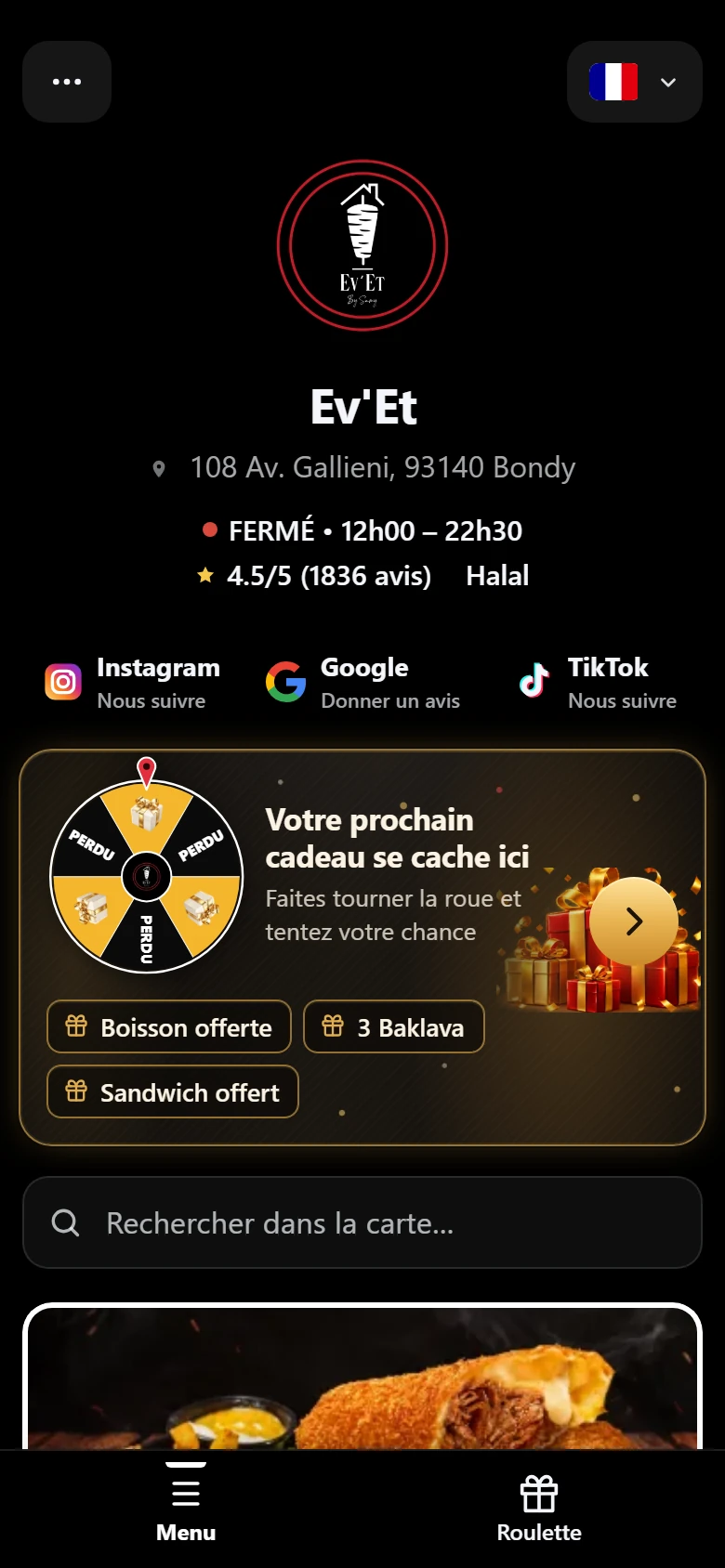
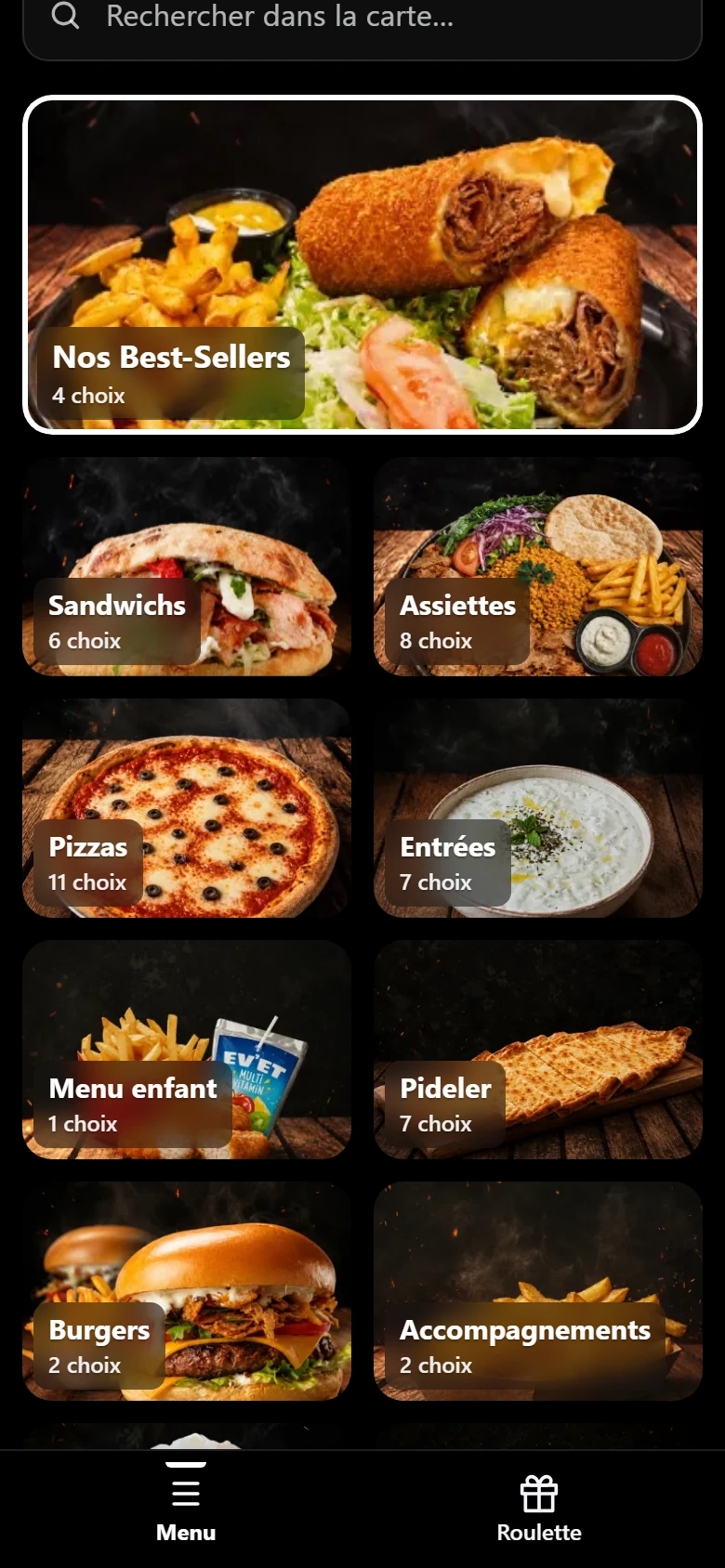
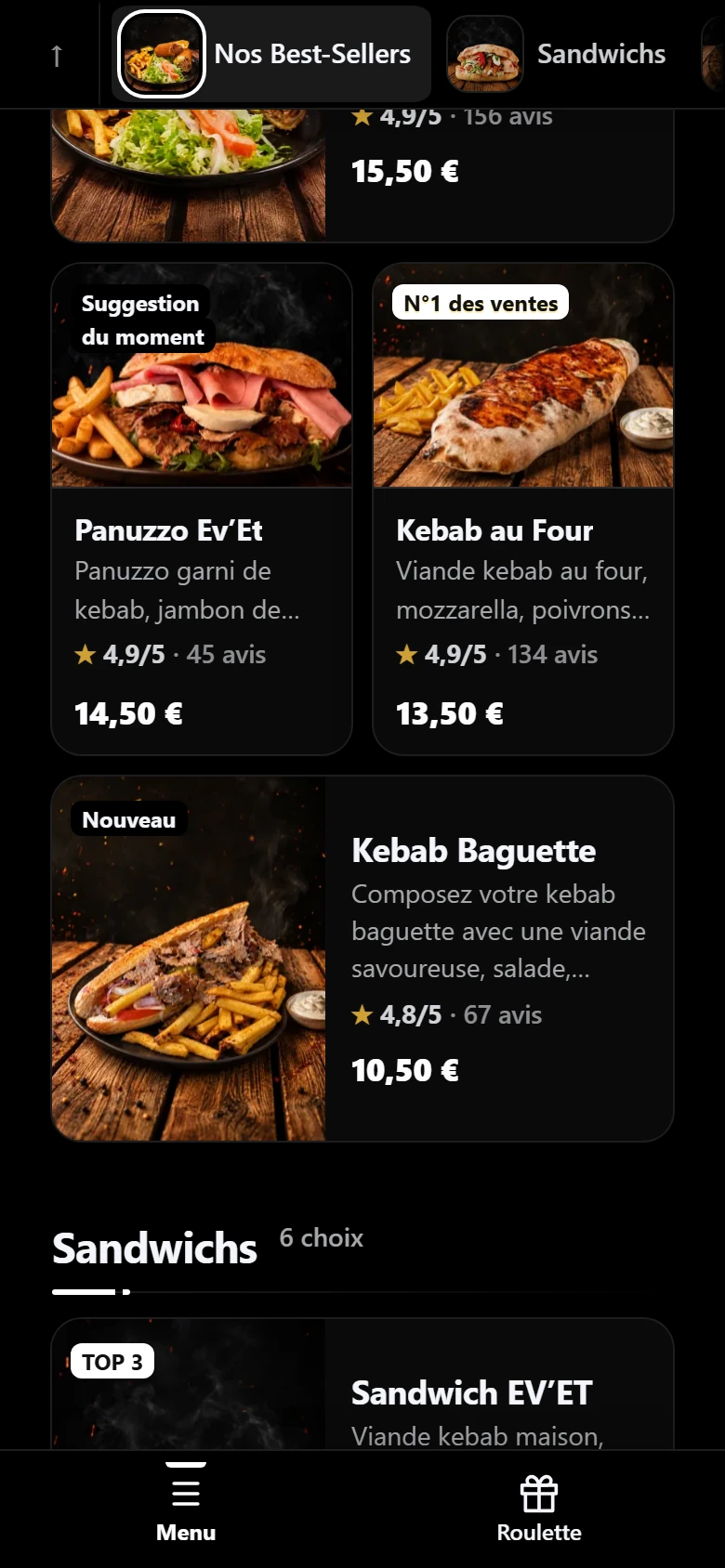
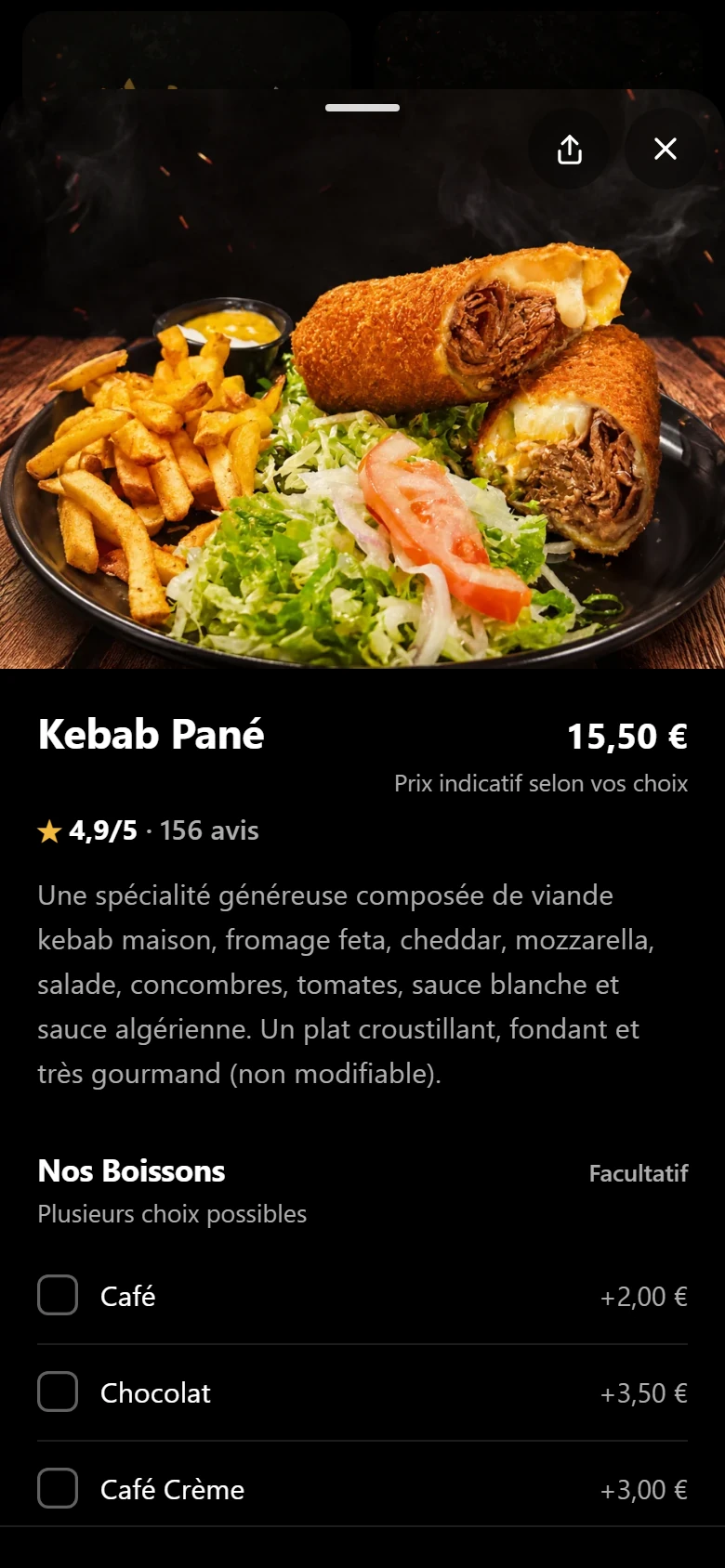
Home: opening hours, address, access to the menu.
Digital menu of the restaurant Ev'Et.
Browsing the menu
Finding a dish in seconds.
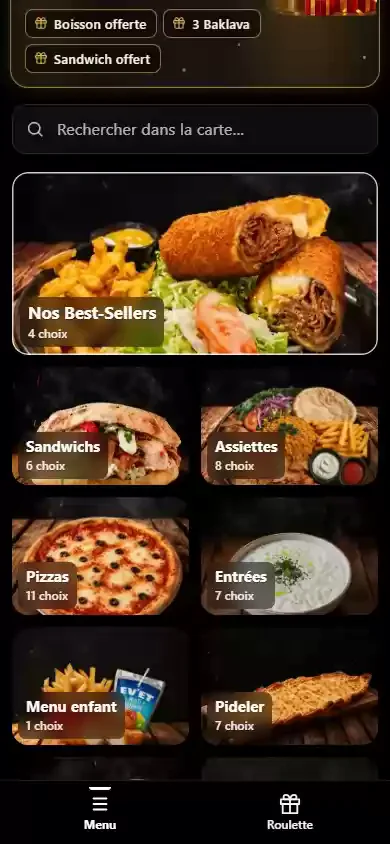
- Categories: large tiles with the number of choices, and a category bar that follows scrolling.
- Search: the customer types a word and the menu filters at once.
- Dish cards: photo, name, short description, price, rating, and a small badge if you pick one (“No. 1 seller”, “Favourite”, “Homemade”…).
- Open / closed: the status follows your opening hours. Outside them, ordering is not offered.
With no badge chosen, a card may show a decorative label (“Discovery of the day”…), unrelated to sales.
See the still image
The dish sheet
Everything needed to choose, on one sheet.
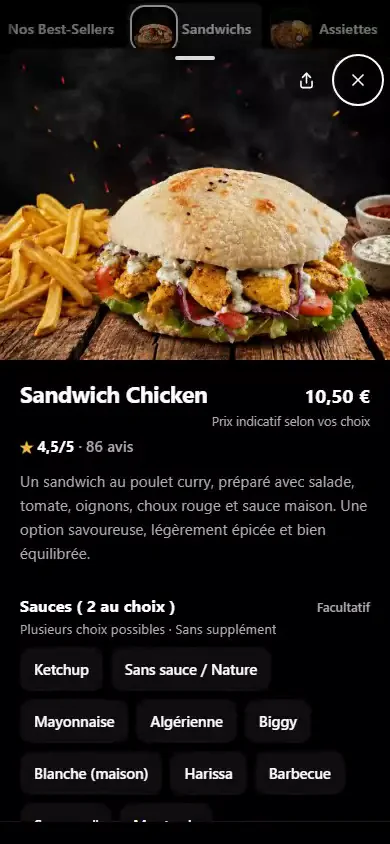
- Photo, description, price, rating. The top of the sheet gathers the essentials; a longer description can be added.
- Variants and choices. A group is required (“Bread: 1 choice”) or optional (“Sauces: choose 2”). The customer sees what is left to choose.
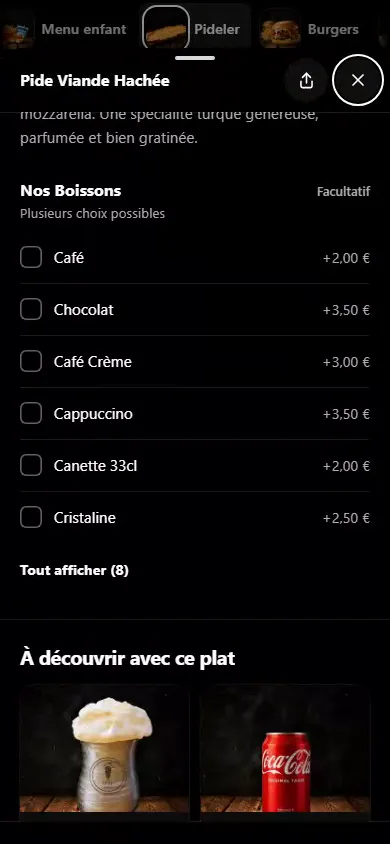
- Paid extras. “Coffee +€2.00”, “Cappuccino +€3.50”: each extra shows its price.
- Suggestions under the sheet (“Discover with this dish”): chosen automatically, or 1 to 6 products you pick, or switched off.
- Allergens. You enter the list, the sheet shows it; eight common allergens have an icon.
- Option: lunch / dinner price, two labelled prices for one dish.
See the still image
Highlights
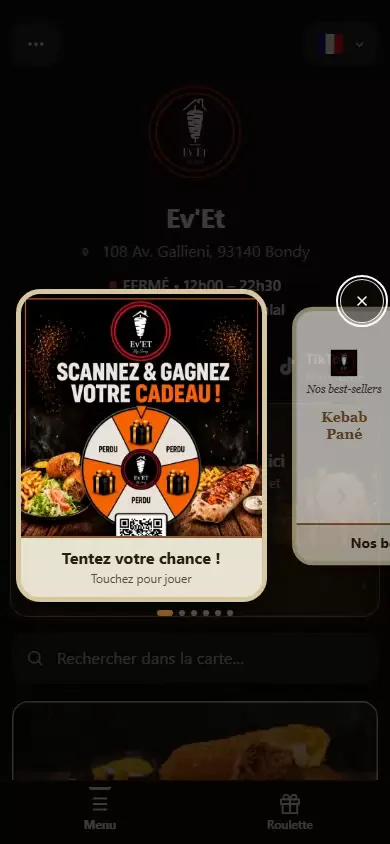
A carousel of offers, suggestions, the prize wheel.
The “Pop-ups and suggestions” module is optional and set up from the admin area. Nothing appears until you switch it on.
See the still image
What a card can hold
| Card type | When the customer taps it |
|---|---|
| A dish | Dish, best seller, drink or dessert: a tap opens its sheet. |
| A free promotion | Title, subtitle, picture of your choice; on tap: simply close, external link or call the waiter. |
| The prize wheel | A tap leads to the wheel page. |
| Instagram or TikTok | Opens in a new tab, only if the restaurant's link is filled in. |
When it opens
| Frequency chosen | When the window opens |
|---|---|
| Discreet | After 90 seconds or 4 dish sheets viewed, once. |
| Normal | After 50 seconds or 3 dish sheets viewed, once. |
| Intensive | After 30 seconds or 2 dish sheets viewed, then a second time 3 minutes after closing. Never more than two per visit. |
Settings
- Up to six active cards, reordered by drag and drop. A card can be limited to dates, days of the week and a time window.
- The first card shown is adjustable: in order, the wheel first, a specific card, or a rotation from one day to the next.
- Texts entered per card, with a translation per language. Appearance: light or dark, five colours, logo shown or not.
Behaviour
The carousel never opens while the customer has the basket, a dish sheet or a field open, nor during language choice, nor on a hidden tab. It closes with the cross, by tapping outside, with the Escape key, and is browsed by swiping, with the on-screen arrows or the keyboard arrows.
Without the “Pop-ups and suggestions” module, the wheel appears alone in a window: 60 seconds after the customer arrives, then again 60 seconds after each closing, as long as it is active. The carousel then replaces this window.
Your menu
You stay in control of your menu.
- We create your restaurateur account.You fill in your menu yourself, or hand us the initial entry (terms agreed before any commitment). We also set up the modules you chose.
- You stay in control, we stay by your side.From your restaurant account, add or remove dishes, change prices, photos and details, manage availability and highlight your specialities. Your changes appear on the online menu the next time it loads.
- Prefer to hand a change over to us?Contact us. Routine changes to your menu are included in your subscription and done within 24 hours, at no extra cost. For custom development or a complex request, we assess the request and state the timeline and terms before any work.
- Need help using your account?We help you learn to add, remove or change dishes and to manage your menu. The management area is available in French, English, German and Turkish; the customer-facing menu offers twelve languages.
What you can do yourself
- Add, edit or remove dishes, categories and extras.
- Change a price, a description, the allergens or a dish's options.
- Add or replace a photo (JPG, PNG or WebP).
- Add, replace or remove a short video per dish (up to 10 videos included).
- Show or hide a dish: a hidden dish disappears from the menu. There is no stock management and no “sold out” mark.
- Highlight dishes or offers in the carousel and suggestions: a way to present them, with no guaranteed effect on sales.
- Start the automatic translation of the menu into the other languages.
- See the most viewed dishes and the busiest hours.
The admin area is available in French, German, English and Turkish. It is not translated into the twelve menu languages.
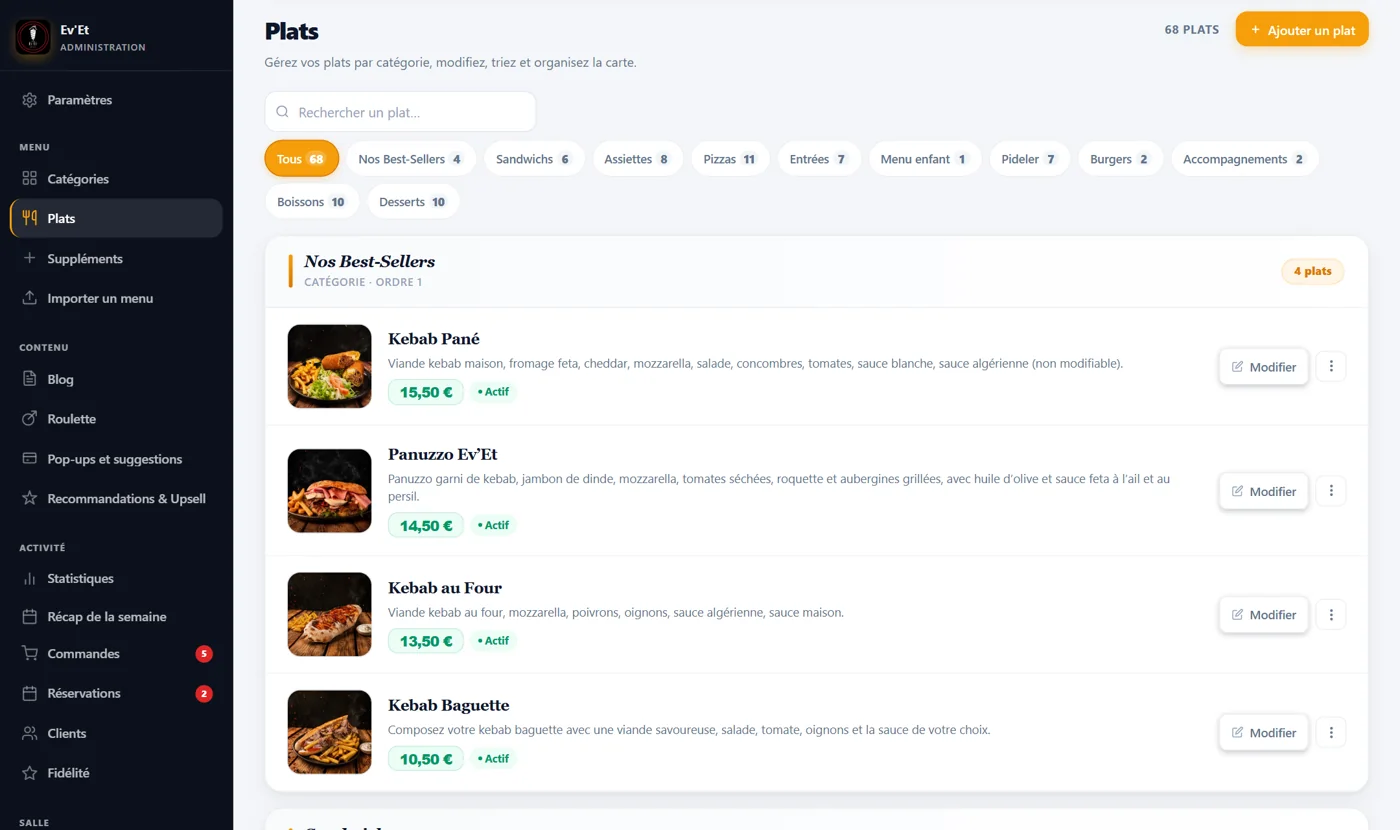
The detail
The detail, point by point.
Open the part you are interested in.
The admin tools, in practice.
| In the admin area | What you can do |
|---|---|
| Dish record | Six tabs: info, price (simple or lunch/dinner), photo, options, ratings, badge. |
| Availability | A dish is shown or hidden. A hidden dish also leaves the carousel, without error. |
| Menu import | Create categories, dishes and extras at once from a structured file, with a check before saving. Automatic photo reading is not available. |
| Getting started | A checklist worked out from your data: logo, hours, menu, photos, notifications. |
| Blog and info page | Announcements (for example an exceptional closure) and a practical information page. |
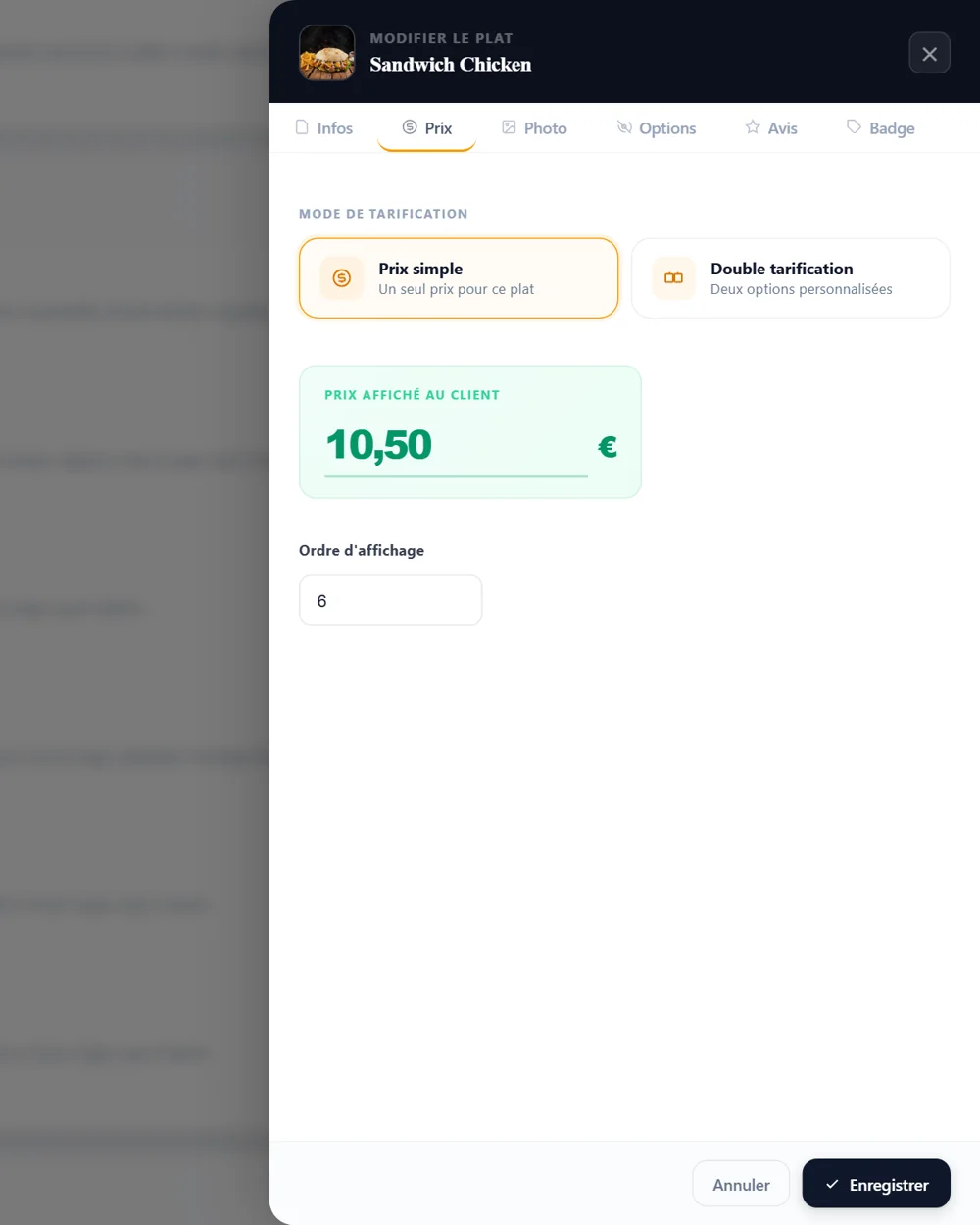
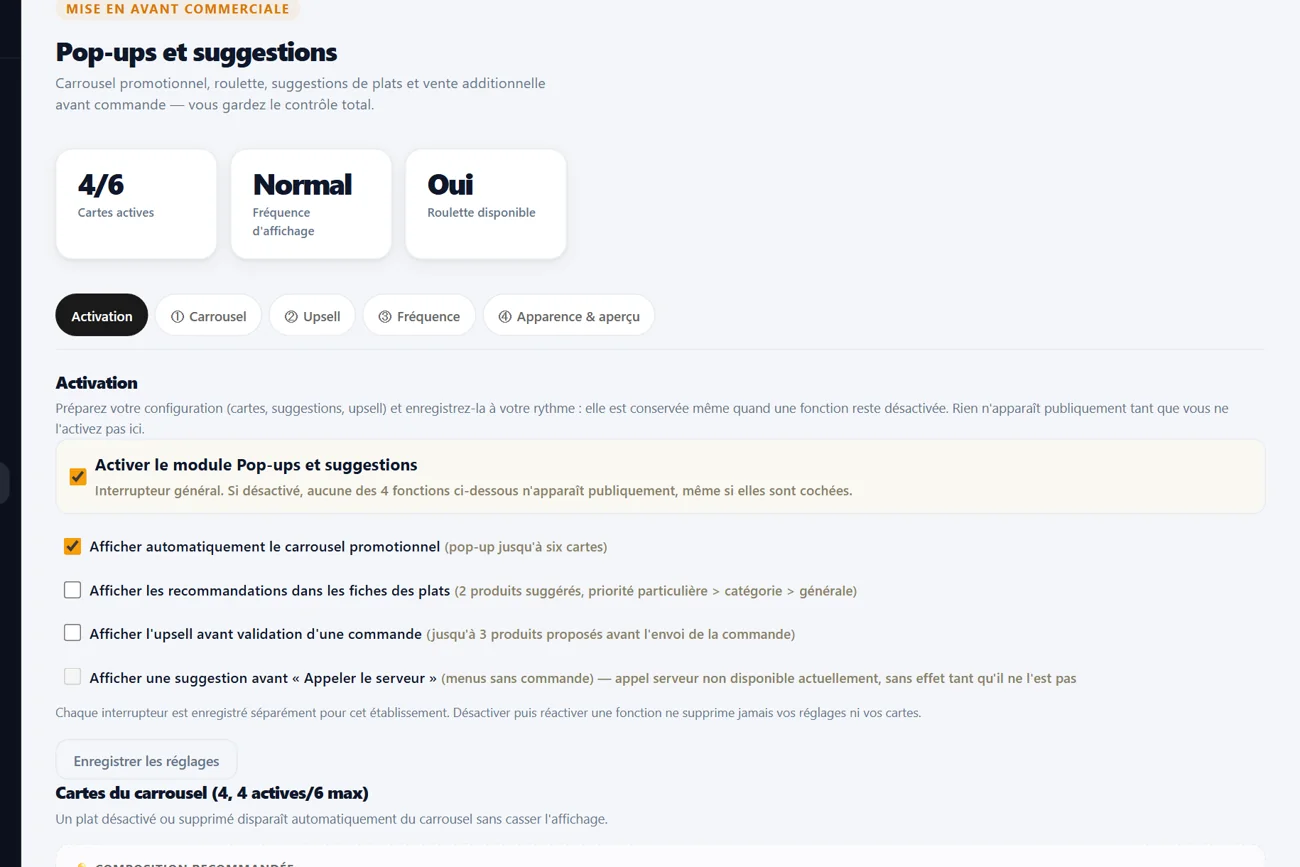
Demonstration example.
A menu in your restaurant's colours.
| To customise | What you choose |
|---|---|
| Colours | Main and secondary colours, page and card backgrounds, two colours for the dish sheet: the preview updates live. |
| Logo and images | Logo in the header, sign-in picture for customer registration (JPG, PNG or WebP, 4 MB at most). |
| Identity | Name, address, phone, WhatsApp, Google Maps, Instagram, TikTok, Google review link, displayed Google rating, description and hours, “Halal” badge if you wish. |
Twelve languages for the customer, four for the team.
| What is translated | Languages available |
|---|---|
| Public menu: menu, dish sheets, language choice | 12 languages: French, English, Turkish, Spanish, German, Italian, Arabic, Hindi, Urdu, Chinese, Russian, Ukrainian. |
| Dish names and descriptions | Translated automatically from your French menu. A proofread is still advisable, especially for allergens. |
| Ordering, booking, loyalty, account, wheel | Interface complete in French, English, German and Turkish. In the other eight languages, a few table-related messages still appear in French. |
| Administration and till screen | French, German, English and Turkish. |
What the customer reaches from the menu.
| In the menu | What the customer finds there |
|---|---|
| Bottom bar | Menu, then depending on the modules switched on: Order, Booking, Wheel, Loyalty card, call the waiter. |
| “More” menu | Call the restaurant, directions, info page, blog, customer account sign-in, share the menu. |
| First-screen shortcuts | Instagram, TikTok and Google reviews, if the links are filled in; address, open or closed status, halal badge. |
| Language choice | A window offers the language on the first visit; the selector then stays at the top of the screen. |